Smartphones and, more recently, tablets are increasingly becoming the computer of choice for more and more people. Mobile app developers have specialized training in design for small electronic equipment, and write computer programs for smartphones and other mobile devices.
Instead of building for a larger PC screen, these developers are dealing with extremely small Android, iPhone, or BlackBerry screens. They are experienced in multi-media applications and multiple mobile computer programming languages.
Mobile app developers typically write programs using either objective C, C++, Python, or Java. Each mobile device uses a specific programming language which app developers must understand.
Android Developers
Android is the name of the mobile operating system owned by Google. Android typically comes installed on a variety of smartphones and tablets from many manufacturers such as Samsung, Sony, and Motorola (as well as on Google’s own Nexus smartphone), giving users access to Google services such as Search, YouTube, Maps, Gmail, etc.
An android developer develops applications for use on phones and tablets that utilize the android operating system – everything from interactive games to media players, to electronic book readers and global navigation software. The code required for android development is mostly open source and available freely for anyone interested in developing apps for use with the Android OS.
It’s an exciting time to have a career in Android development. There is a healthy supply of jobs, demand for Android apps is accelerating, and technology is advancing.
iOS Developers
iOS is a shortened way of saying ‘iPhone OS’, or ‘iPhone Operating System’, and is the mobile operating system that runs on Apple’s mobile devices such as iPhones and iPads.iOS developers build software – they know how to structure it, test it, debug it, and how to use source control. iOS developers know Swift or Objective-C (and some know both languages, which is best).
They know iOS, which means they have a good grasp on build views; can handle user interaction; can display data; show alerts; handle navigation; display images, labels and text views; and integrate with REST APIs and parse JSON.
Trends come and go so frequently in the tech world that it’s hard to foresee the next big thing in technology. However, one thing that is definitely here to stay is the progressive web appphenomena.You may not have heard of them yet, but progressive web apps (PWAs) have already started making waves. So what are progressive web apps exactly?
Wikipedia explains that a progressive web app is a web application that loads like a regular websites but can offer the user functionalities such as working offline, push notifications, and device hardware access traditionally available only to native applications. PWAs combine the flexibility of the web with the experience of a native application along with other best practices.They strive to deliver an unsurpassed experience for mobile users. PWAs are reliable and respond more quickly to users. Additionally, they focus on engaging mobile users with a more immersive experience than ever before.
According to Google, a progressive web app should offer the following three things:
Engagement: Apart from engaging content, a progressive web app should allow you to add the app to their home screens. It should also be able to send push notifications to users.
Speed: Speed is an important aspect of progressive web apps. They should load instantly not taking more than three seconds.
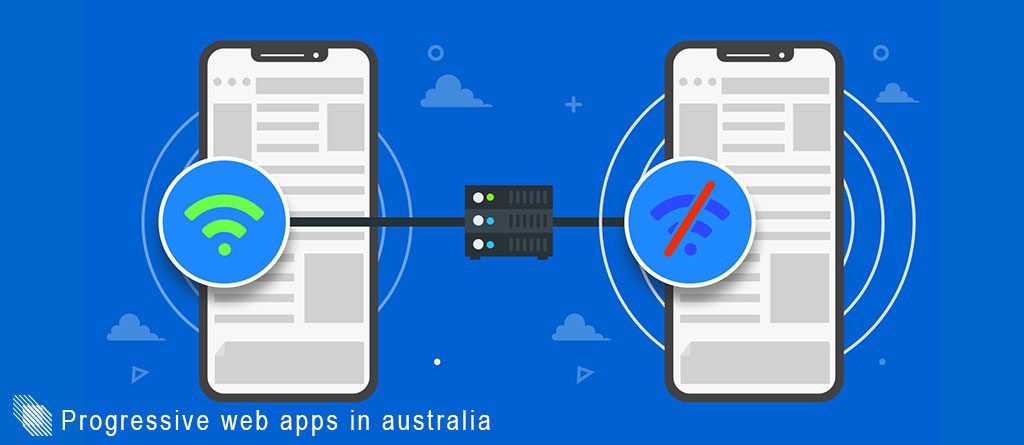
Reliability: A progressive web app should be designed to work offline and in areas of low connectivity.
What are the benefits of PWAs?
PWAs are known to offer many benefits to businesses. Let’s take a look at them:
Low data usage: PWAs don’t need too much data to run as compared to native apps. For instance, if a react native app consumes 10-15 MB data, a progressive web app will just need 500 KB or so. Also, they don’t need any significant storage on the device either.
No updates required: PWAs are similar to websites which means they are updated as being used by the user. Unlike native apps, these aren’t updated in the background. The best part is that they can be updated much quicker as no Play or App Store approval is required.
Low costs: Developing a native app for Android and iOS phones is a costly affair for businesses especially for startups. Thus PWAs come across as a wise option for businesses as they reduce the cost of development by 60-70%.
Faster speed: Speed is an essential aspect of progressive web apps making them load almost instantaneously. You can browse, shop, view things in lesser time as it would take on web browsers. Faster speed could lead to higher conversion rates means PWAs make attracting customers easier than ever.
Offline capabilities: Progressive web apps changed the game when they allowed apps to run offline. Offline capabilities allow users to access the app even in low reception areas at faster speed leading to more user engagement and higher conversion rates.
Successful examples of PWAs
Let’s take a look at some big players who switched from their native mobile applications to progressive web applications to rake in huge profits.
Twitter
Twitter is one of the most loved social media apps with over 328 million users with 80% of them accessing it on their mobile phones. That’s why, it launched its PWA in 2018. Twitter Lite is 600 KB in size whereas the native app is around 24 MB. In Twitter Lite, users get web push notifications, Add to Screen prompt, and offline access among other features.
With this, they achieved a:
65% increase in pages per session
20% reduction in bounce rates
75% increase in tweets sent
Pinterest
It took Pinterest 3 months to get their progressive web app ready. The major reason for this switch was that only 1% of their visitors converted to signups.
With this, they achieved:
60% better engagement
Page load time reduced from 23s to 5.6s
44% increase in user-generated ad revenue
Starbucks
It was in 2017 when Starbucks launched its PWA with beautiful graphics and smooth animation. The best part was that users could easily get any information and even customize their order offline as well.
With this, they achieved:
Twice the number of active users
Light-weight app needing just 233 KB of data storage
Flipkart
When India’s largest e-commerce website wanted to provide more seamless experience to users, Flipkart Lite came into being. The PWA requires just 100 KB of data storage which is 300 times smaller than its iOS application.
With this, they achieved:
70% increase in conversions
40% higher engagement
Users spent 3x more time on Flipkart Lite
Trivago
Trivago is a hotel search engine that helps users to find the best deal as per the hotel’s information, pictures, ratings, reviews, and other features. So when the mobile experience caught some fire, it realized the need to introduce its progressive app.
With this, they achieved:
150% increase in engagement
97% increase in clickouts to hotel offers
67% users continue browsing the site when they came online
Lancome
Since launching its PWA, Lancome, a famous cosmetic brand has experienced an upward spiral of profits.
With this, they achieved:
50% increase in the overall speed
17% more conversions
51% increase in mobile sessions
Mobile sales have gone up by 16% year over year
Uber
Uber was in dire need of an application that could be used by anyone regardless of device and network speed. That’s how it came up with its progressive web app that came with its native app in terms of functionalities but came at a significantly lighter weight.
With this, they achieved:
An app that is only 50 KB in size
Super fast speed even on 2G networks
Forbes
Forbes is the latest entrant to join the progressive web app bandwagon. It launched its PWA to re-brand their entire mobile experience.
With this, they achieved:
load-time reducing from 3 seconds to 12 seconds to now 0.8 seconds
100% increase in content engagement
Twice increase in average user session length
43% increase in session per user
20% more impressions
The future of PWAs
PWA is the future of mobile apps that promise better drive revenue, increased user engagement while staying ahead of the competition.At ma systems, our team has experts who have experience in developing native apps, hybrid apps, and progressive web apps. Before we begin progressive web app development, we understand our clients’ business needs as well as their budget and app strategy, based on which we recommend the best framework for developing their app.
Have you got an idea that could other people having better life? Give us a call at enquiries@masystems.com.au.
We are keen to assist you making our world a better place to live!
Arguably, mobile app developers are the heart of web app development companies. The work they do is both challenging and taxing. They use programming languages and development skills to create, test and develop mobile applications. Not just their hands and mind are always busy but they also need to keep their focus intact all the time.
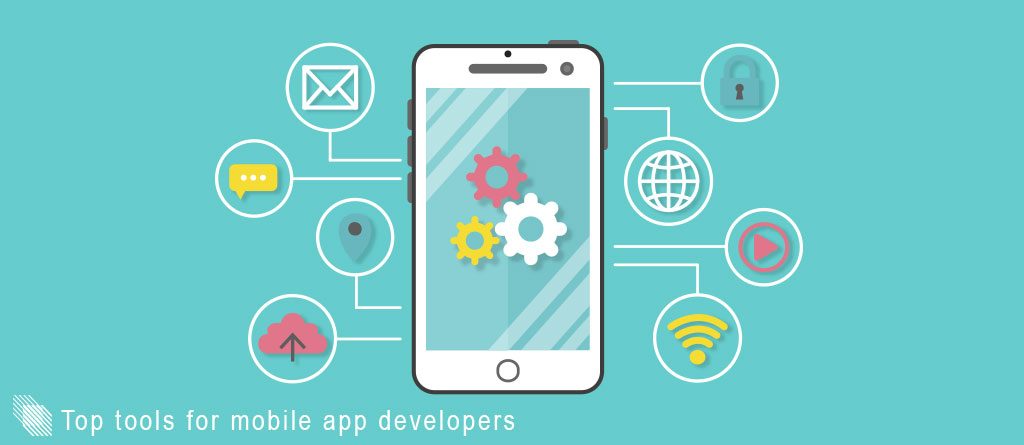
That is why, I have made a list of the 10 best tools for mobile app developers to work faster, easier, and more efficiently. You can use these tools whether you work solo or with a team – in-house or remote. I hope you find the peace of mind that you’re looking for and stay organized with the following tools.
Xamarin is the most preferred mobile app development tool for native applications. It enables you to use the existing data access and business logic layers across different platforms. The tool can be used for developing all kinds of apps for all major mobile platforms including iOS, Android, and Windows.
Features:
C# programming language with .NET language infrastructure
Allows communication with the API of mobile devices
Xamarin Component Store includes UI controls, cross-platform libraries, and third-party libraries
mobile app developer with Appcelerator
As the name suggests, the tool helps you accelerate the app development process enabling you to create apps with fewer lines of code. This app development tool supports iOS, Android, Windows, and browser-based HTML5 applications.
Features:
Applies the universal concept of “write once, use anywhere”
The quickest way to build app prototypes
ArrowDB, its data store lets you deploy data models without hassles
mobile app developer PhoneGap
PhoneGap is an open-source free to use mobile app development tool used for developing a single app that works on all mobile devices. It integrates various libraries with existing functions and code enhancing the entire app development process and making it faster.
Features:
Works well on JavaScript, HTML5,and CSS3
Comes with a plug-in architecture to increase its functionality
Code reusability across iOS, Android, Windows Phone, BlackBerry, Firefox OS
mobile app developer with Sencha
Sencha is a favorite online tool of many developers for designing, developing and testing enterprise mobile applications. It comes packed with 115+ high-performance, pre-tested, and integrated UI components to give multiple options to choose from and work with.
Features:
Lets you code in HTML5 format using Sencha touch software development kit
Includes calendar, grids, charts, and more.
Supports Android, iOS, BlackBerry, Windows Phone, and more
mobile app developer withMobile Roadie
Mobile Roadie is a popular custom app development tool that makes it easy for developers to create and manage their apps for Android and iOS platforms.
Features:
Lets you send geo-targeted push notifications, set up geo-fences, create custom interactive maps
Deeply integrated user community features
Includes features such as auto-updating fan wall, auto-importing of RSS, and Google News or Twitter keywords integration
mobile app developer with AppMachine
AppMachine is a highly efficient app development tool that enables people to build web apps as well as native apps for iOS, Android, and Windows Mobile platforms. It comes with a user-friendly app builder and multilingual interface.
Features:
Comes in a four-column layout with an options panel on the top
Gives a preview of the app in different platforms in real-time
Easy to use
mobile app developer with Good Barber
The name might be a little quirky but its features are on point. Good Barber is a popular native app builder tool that uses the latest app development technologies to create robust and highly functional apps.
Features:
Lets you create an app without actually coding
Offers features like authentication, beacons, geofencing, service worker, etc
Easy integration with Google Play and App Store
The app creation process is translated into 28 languages from beginning to end
mobile app developer with The AppBuilder
The App Builder is a flexible suite of Enterprise Application Development specializing in corporate employee mobile apps and enterprise mobile app platforms. The best part is that you don’t need to possess technical skills to create a robust app on this tool, it’s super-easy to use.
Features:
Comes with an online toolkit along with a training module
Lets you segment your audience by location, job function, project or any criteria you need
Allows you to update your app’s structure, content and linked services anytime – even after the app has gone live
mobile app developer with Kony AppPlatform
It is a low-code platform for omni-channel app development. Mobile app developers prefer it over other tools as it accelerates development, shortens testing, simplifies changes, streamlines support and reduces maintenance.
Features:
No code to full code development
The single code base for omni-channel output
Robust HA/DR and performance SLAs
mobile app developer with LongRange
LongRange is a native mobile app development tool that lets you write once and deploy to Apple, Android, and Windows devices easily.
Features:
Build native mobile apps using only RPG/ CL with DDS
Utilize mobile device features like GPS, camera, audio, SMS, etc.
Automatically push app updates into the mobile devices
Not sure what to use? Don’t worry, just flick us an email at enquiries@masystems.com.au and we will assist you make the best decision! Remember our consultation service is absolutely free.